How to Use a Regular TV or Monitor for Advertising with an Advertising Player

Want to turn your regular TV into a powerful advertising TV for your store, office, or cafe? The secret is a simple set-top box: an automatic USB ad player. Think of it as a tiny powerhouse that converts any basic TV or monitor into a smart digital sign, effortlessly playing your marketing content on a continuous loop.
To run your TV ads reliably and hands-free, you need a dedicated ad player built for USB drives. It's the key to smooth, non-stop playback that you can truly set and forget. These USB media players handle everything for you—they power on automatically, start your video or slideshow, and loop your content 24/7 without any hiccups.
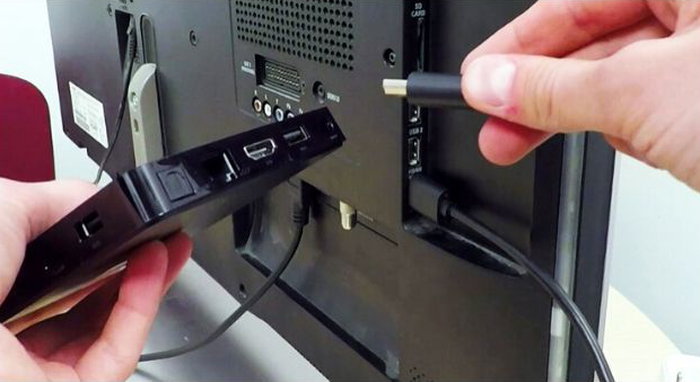
Why a USB Ad Player? It's All About Simplicity.
Using a USB stick for your ads is the ultimate "plug-and-play" solution. It's a perfect fit for small businesses like cafes, salons, retail stores, and offices.
Here’s what makes it so great:
- Budget-Friendly. Skip the expensive commercial screens and complicated setups.
- Easy to Use. No tech degree required—it's incredibly simple to manage.
- Works Offline. Set it up once, and it runs perfectly without Wi-Fi.
- Built to Last. With fewer moving parts, it's a reliable workhorse.
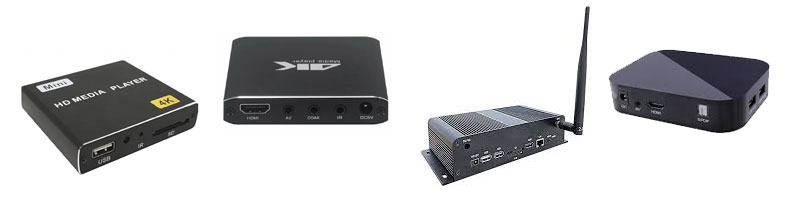
How Do You Set Up an Ad Player?
It's a breeze. Just plug your ad player into a power outlet (or your TV's USB port for power) and connect it to your TV's HDMI port with the included cable. You're done!
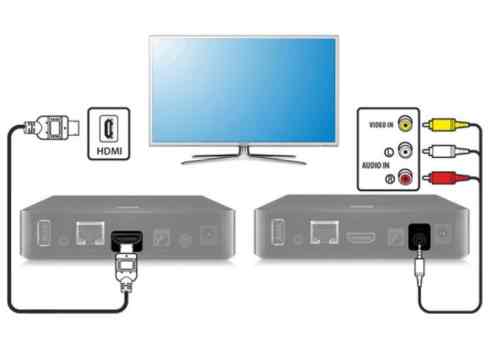
Your Quick-Start Guide to Running Ads on Any Screen
The Golden Rule: For a professional, glitch-free display, a purpose-built USB ad player is non-negotiable. It guarantees your content loops perfectly, day in and day out.
If you'd like to try a basic test with your own TV first, just follow these steps.
Step 1: Create Your Content
This is where you get creative. Your ads should be eye-catching, short, and valuable.
- Tools to Use: Canva, PowerPoint, Adobe Spark, or simple video editors like Movavi or Canva Video work perfectly.
- Best File Types: Use MP4 (H.264) for video and JPG or PNG for images.
- Get the Resolution Right: Create your content in Full HD (1920x1080) for a crisp, clear picture.
- Keep it Snappy: Aim for 15-30 seconds so customers can watch the whole thing.
Step 2: Get Your USB Drive Ready
- Format it Right: Format your USB drive to FAT32 or exFAT for the best compatibility.
- Keep it Tidy: Copy your files directly to the main drive—no nested folders needed.
- Name Files Simply: Use simple names like "main_ad.mp4" and avoid special characters (!, #, %).
Step 3: Connect and Play
- Plug in your USB drive to the ad player's USB port.
- Turn on your TV and use the remote to select the correct HDMI input (usually labeled 'Source' or 'Input').
- That's it! A dedicated ad player will start playing automatically—often the only setup you'll ever need.
The Problem with Relying on Your TV's Built-in USB Port

Your TV's built-in media player isn't designed for business. Here are the headaches you'll likely face:
- No Auto-Loop: The video might just stop, leaving you with a blank screen.
- On-Screen Junk: The TV often shows file names, player controls, or progress bars, making your ads look cheap.
- Formatting Issues: Your TV might not play the video file you created, leading to frustrating conversion work.
- No Playlists: You can't easily queue up a mix of videos and images to play in a specific order.
- A Manual Nightmare: Updating your ads means constantly swapping the USB drive and manually restarting playback on every single TV.
The Easy Fix: A dedicated automatic USB ad player.
This is where a compact media player, like one from DEKART, comes in. It plugs directly into your TV's HDMI port and has its own USB slot.
Here’s why it’s a game-changer:
- Perfect, Uninterrupted Looping. It’s what the player is built to do.
- Plays Everything. No more worrying about file formats—it just works.
- A Clean, Professional Look. Your content fills the entire screen, with no distracting menus or text.
- Build Simple Playlists. Mix and match videos, images, and more into a seamless presentation.
- Update Remotely (on some models). Change your ads from your computer without touching the TV.

Using a standard TV for advertising is a smart, low-cost way to grab attention. But for a truly automatic system that runs without babysitting, you need a dedicated ad player. An Advertising Media Player for USB drives is the most logical and affordable choice. It delivers a professional result, automates the entire process, and saves you a massive amount of time and hassle down the road.
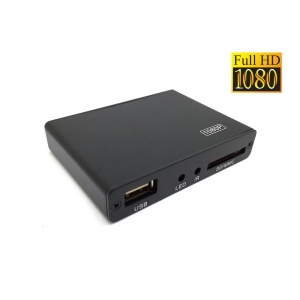
 Introducing the DEKART DIPLAYER-0101-HD automatic digital signage media player, your ultimate solution for commercial video and audio display. This versatile player can be seamlessly connected to any monitor, TV, or advertising display with AV or HDMI input, allowing you to showcase promotional vide..
$28.50
Ex Tax:$28.50
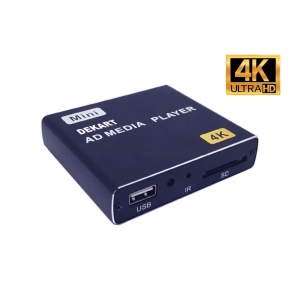
DEKART DIPLAYER-0101-4K advertising video player is a simple alternative to complex and expensive 4K advertising computers and digital signage media systems. The 4K UHD AD media player (USB + SD type) is based on Android operating system, it is stable and easy to set up. Use it to start the digital ..
$34.50
Ex Tax:$34.50
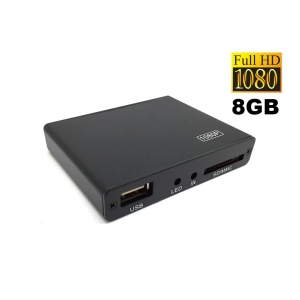
The DEKART DIPLAYER-0101-HD-8GB Automatic Advertising Player is an all-in-one solution for 24/7 advertising and information display on regular TVs and computer monitors. Its key advantage over the similar DEKART DIPLAYER-0101-HD player is the built-in 8GB storage for content, allowing you to run adv..
$35.50
Ex Tax:$35.50
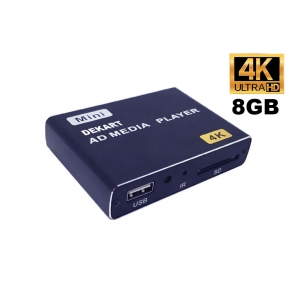
DEKART DIPLAYER-0101-4K-8GB is a reliable automatic video player for advertising on consumer TVs and monitors with 4K UHD quality support. It offers a simple alternative to complex and expensive advertising computers and digital signage systems. The key feature that distinguishes this model from the..
$41.50
Ex Tax:$41.50Showing 1 to 4 of 4 (1 Pages)
Introducing the DEKART DIPLAYER-0101-HD automatic digital signage media player, your ultimate solution for commercial video and audio display. This versatile player can be seamlessly connected to any monitor, TV, or advertising display with AV or HDMI input, allowing you to showcase promotional vide..
$28.50
Ex Tax:$28.50
DEKART DIPLAYER-0101-4K advertising video player is a simple alternative to complex and expensive 4K advertising computers and digital signage media systems. The 4K UHD AD media player (USB + SD type) is based on Android operating system, it is stable and easy to set up. Use it to start the digital ..
$34.50
Ex Tax:$34.50
The DEKART DIPLAYER-0101-HD-8GB Automatic Advertising Player is an all-in-one solution for 24/7 advertising and information display on regular TVs and computer monitors. Its key advantage over the similar DEKART DIPLAYER-0101-HD player is the built-in 8GB storage for content, allowing you to run adv..
$35.50
Ex Tax:$35.50
DEKART DIPLAYER-0101-4K-8GB is a reliable automatic video player for advertising on consumer TVs and monitors with 4K UHD quality support. It offers a simple alternative to complex and expensive advertising computers and digital signage systems. The key feature that distinguishes this model from the..
$41.50
Ex Tax:$41.50Showing 1 to 4 of 4 (1 Pages)